Catalog import
Open a Lightroom Classic catalog and get your ratings, flags, color labels, keywords and compatible develop settings, with folder relinking. The original catalog and your photos are never written to.
 RAWmakase
/raw·muh·KAH·say/, RAW + omakase
The Lightroom-compatible RAW editor. Free, open source and fast.
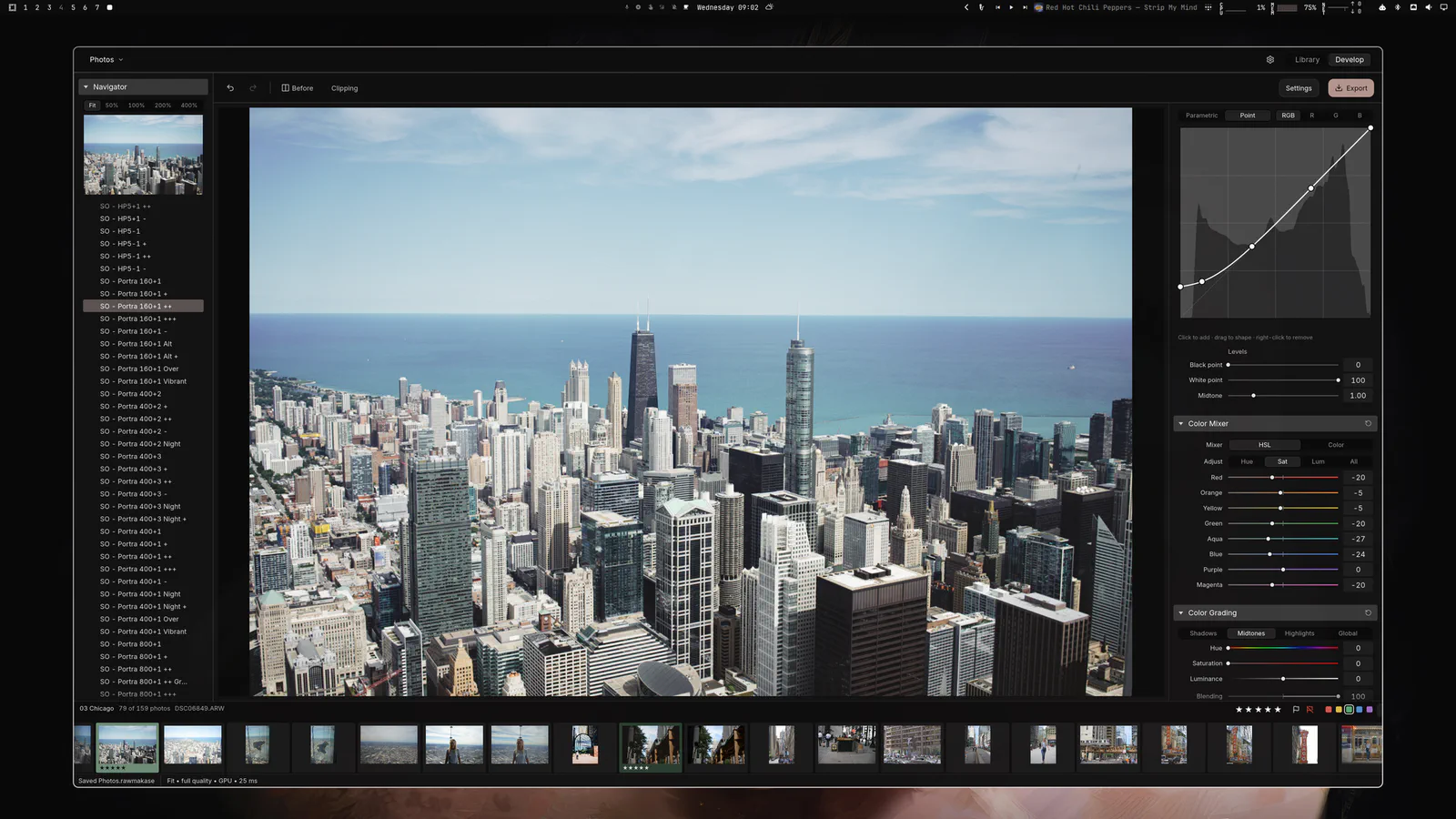
RAWmakase is a free RAW photo editor for macOS, Linux and Windows, with no subscription and no lock-in. Bring your Lightroom Classic catalog, presets and camera profiles, keep editing with the Library and Develop controls you already know, and let the GPU keep up with you.
Lightroom-compatible
Years of catalogs, presets and profiles don't have to stay behind. RAWmakase reads them, and the Library and Develop layout will feel familiar from the first minute.
Open a Lightroom Classic catalog and get your ratings, flags, color labels, keywords and compatible develop settings, with folder relinking. The original catalog and your photos are never written to.
Import the XMP presets you already own or bought, and apply them in one click.
Import DCP and XMP camera profiles, so colors start from the rendering you're used to.
Rendering aims for close, not exact, parity with Lightroom.
RAWmakase is free and open source. There's nothing to renew, and your photos and edits stay with you.
White balance, Auto WB and tone, exposure, Shadows and Highlights, Clarity, Dehaze, curves, HSL, color grading, detail, crop, Transform and lens corrections.
Catalogs, folders, collections, ratings, flags, labels, keywords and filters.
Heal and Clone, plus brush, gradient and range masks. Early, and improving.
Originals are never modified. Edits live in the catalog and every write is atomic.
Native .deb, .rpm and Arch packages, built and tested with every release.
Inspect, render, export and import catalogs without the GUI.
Version 0.1.10, free and open source. Pick the build for your system, or browse every release on GitHub.
Signed and notarized. Open the DMG and drag RAWmakase into Applications.
rawmakase_0.1.10_amd64.debrawmakase-0.1.10-1.x86_64.rpmrawmakase-0.1.10-1-x86_64.pkg.tar.zstrawmakase-0.1.10-arch-recipe.tar.gzrawmakase-0.1.10-x86_64-linux.tar.gzFor aarch64, get the arm64 .deb, aarch64 .rpm or tarball from the release page. Needs a working graphics driver (Vulkan).
rawmakase-v0.1.10-x86_64-pc-windows-msvc-setup.exerawmakase-v0.1.10-x86_64-pc-windows-msvc.zipInstalls for your user account, no administrator rights needed. The installer isn't code-signed yet, so if SmartScreen warns, choose More info, then Run anyway.
Point your AI agent to github.com/pch/rawmakase/releases and tell it to install the latest version for your operating system. Or copy this prompt:
Install the latest release of RAWmakase for my operating system from https://github.com/pch/rawmakase/releases. Pick the right package for my OS and CPU architecture, verify it against the release's checksums, install it, and tell me how to launch it.